HVAC website builder or custom site?
Heating and cooling work has two kinds of customers. One has no heat on a cold night or no cooling in a heat wave and needs help now. The other is planning a system replacement and comparing quotes. An HVAC site has to serve both, and its focus has to change with the seasons.
An HVAC website builder handles this well for many companies. A custom site makes more sense as the business grows.
When an HVAC website builder is enough
Hosted builders such as Wix and Squarespace bundle templates, hosting and editing. WordPress with a home services theme gives you more control and more plugins. A builder is often enough when:
- You are a small or new company with a short list of services.
- You serve one town or a compact area.
- Your scheduling or field service software already handles online booking, and the site only needs to link to it.
- You are happy to update banners and pages yourself when the season changes.
When a custom site is worth it
A custom site is planned around your services, your area and the way you schedule calls. It can still run on WordPress, Webflow or a hosted builder, so your team can edit it. It tends to be worth it when:
- You sell maintenance plans and want a clear sign-up path.
- You handle residential and commercial HVAC and need separate sections.
- You want deep connections with your field service, CRM or call tracking tools.
- You cover many towns and want real service-area pages.
- Your template looks the same as other heating and cooling companies nearby.
How to build an HVAC website
Here is how to build an HVAC website in a sensible order, whichever route you pick.
- List services and areas. Write down the work you want more of, such as AC repair, furnace replacement or heat pump installs, and the towns you cover.
- Choose your route. Pick an HVAC website builder, WordPress with a theme or a custom build, using the points above.
- Plan pages by system and by need. Group pages under heating, cooling, maintenance and indoor air quality, plus service areas.
- Decide how requests come in. Choose between phone, a request form and online scheduling, or a mix of all three.
- Gather real content. Collect technician photos, truck photos, license details, the equipment brands you service and your maintenance plan terms.
- Write in plain words. Explain symptoms and options the way a good technician would at the kitchen table.
- Set up local search. Complete your Google Business Profile and link it to the site.
- Test it like a customer. On a phone, call the number, send a request and try to book a visit.
Pages an HVAC website needs
HVAC customers search for a specific problem or system, so give each main service its own page.
Heating pages
Create pages for furnace repair, furnace replacement, heat pumps, boilers if you work on them, and any other heating systems you service. On each page, list common symptoms, such as no heat, short cycling, strange noises or a high energy bill. Explain when a repair is likely and when replacement is worth discussing, without pushing either.
Cooling pages
Create pages for AC repair, AC installation and replacement, and ductless mini-splits if you install them. Lead with symptoms: warm air, ice on the lines, water around the indoor unit or a system that will not turn on. Simple safety notes help too, such as switching the system off if it smells of burning.
Maintenance plan page
Maintenance agreements are a steady source of work for many HVAC companies. Give your plan its own page. Explain what each visit includes, how many visits are covered, what members get, such as priority scheduling or discounts on repairs, and how to sign up or cancel. Only list benefits you actually provide. If you have more than one plan level, describe each one clearly.
Indoor air quality page
If you offer air filtration, humidifiers, dehumidifiers or duct cleaning, group them on an indoor air quality page. Keep health claims out. Describe what each product does and who tends to ask for it, and leave medical advice to medical professionals.
Replacement and financing page
System replacement is a large purchase. A page that walks through your process, from load calculation and options to installation and cleanup, helps people feel prepared. If you offer financing through a lender, explain how to apply and link to the lender's terms. Do not quote rates or approval claims that belong to the lender.
Commercial HVAC
If you serve commercial buildings, give them their own section with rooftop units, service agreements for property managers and how you schedule work around business hours. Keep the two paths separate.
Service area pages
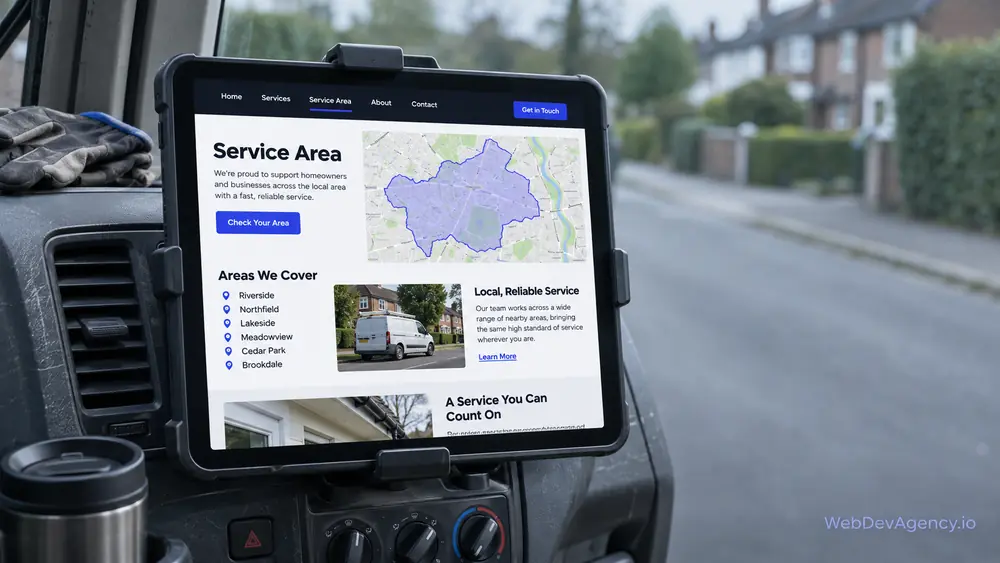
Create a page for each key town or county. Make each one useful, with nearby jobs, common home types in that area and local notes that matter to customers.
Service requests and emergency calls
A failed system in extreme weather is stressful, and people call the first company that makes it easy to reach a person.
Click-to-call first
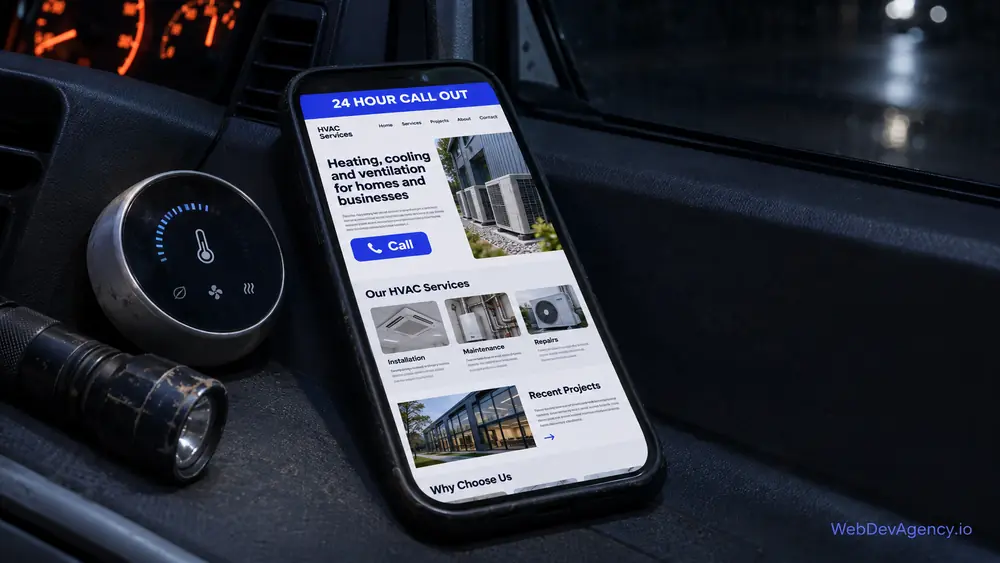
Put a tap-to-call number in the header on every page, and add a sticky call button on phones. Tell visitors when your phones are answered. If you offer after-hours or emergency service, say exactly when it is available and whether extra fees apply. Do not promise round-the-clock service unless a person really answers.
A short service request form
For non-urgent requests, a form lets people reach you without waiting on hold. Ask for:
- Name, phone and email
- Address or ZIP code
- Request type: repair, maintenance, replacement quote or other
- System type, such as furnace, central AC, heat pump or mini-split
- Approximate system age, if they know it
- A short description of what is happening
- Preferred contact time
Keep most fields optional. Tell people what happens next and when they will hear back, and only promise what your office can keep.
Online scheduling
If your field service platform offers an online booking widget, test it carefully on a phone. Make sure it shows real availability, collects the address and system type, and sends a clear confirmation. A broken booking widget is worse than a simple form.
Seasonal changes on the homepage
In colder weather, put heating repair and furnace tune-ups first. When it warms up, switch to AC repair and cooling maintenance. When you compare any HVAC website builder, check how easy this switch is.
HVAC website examples to study
The HVAC website examples below are fictional. They describe common patterns rather than real companies, so you can see what each approach does well.
A phone-first emergency layout
Example: a fictional heating and cooling company that does a lot of urgent repairs. The homepage opens with two large buttons: "No heat" and "No cooling". Each leads to a short page with safety tips, what to check before calling and a big call button. Hours for emergency calls are stated in plain words near the top.
A maintenance-plan-led layout
Example: a fictional family HVAC company that relies on repeat customers. The homepage leads with its maintenance plan, explains what a tune-up includes and makes sign-up a short form. Members get a clear page with their benefits and a direct way to schedule.
A replacement-led layout
Example: a fictional installer that focuses on heat pumps and system upgrades. The site explains how it sizes systems, shows photos of clean installs, lists the equipment brands it installs without using their logos, and has a replacement quote form that asks about the home and the current system.
A residential and commercial split
Example: a fictional mechanical contractor serving homes and light commercial buildings. The header has two paths, Home and Business. Each path has its own services, request form and phone number, so a property manager never has to wade through homeowner tips.
What these HVAC website examples share is a clear lead, real photos of technicians and work, and a fast way to get help.
Local search basics for HVAC companies
Most HVAC work comes from nearby, so local search is where a site earns its leads.
Your Google Business Profile
Fill in every section. Use the same name, address and phone number as your site, set your service area and choose accurate categories. Add photos of your team, trucks and installs, and keep holiday hours up to date. Link the profile to your site.
Reviews
Ask for a review after a repair or install, while the customer is still happy the system works. Send a direct link. Reply to reviews calmly, including critical ones. Never post fake reviews or pay for them, and quote reviews word for word if you show them on your site.
Trust details
List the licenses you hold where your state expects them in advertising, say that you are insured, and mention technician certifications only if your team holds them now. Photos of real technicians, with names if they are happy to share, help homeowners feel safer letting someone into their home.
On-page basics
Give each page a clear title and description that names the service and area. Use headings that match what people search, such as furnace repair or AC installation. Compress photos, keep pages fast on mobile data, and add structured data for your business and FAQs.
When to get help beyond an HVAC website builder
An HVAC website builder can carry a small company a long way. It is worth getting help when you need maintenance plan sign-ups, many service and town pages, or a site that works smoothly with your scheduling tools.
Our HVAC website design service builds heating and cooling sites around your services, service area and the way you take calls. We set up click-to-call, request forms and local SEO basics, and your team can still edit the site after launch.
At WebDevAgency.io, packages are $199 for Basic, $349 for Standard and $599 for Premium, with a Custom option for larger projects. Hosting, domain, platform plans and paid themes, apps or plugins are not included and are billed separately. Compare the options on our pricing page.
Many HVAC companies also offer plumbing. If you do, our plumbing website builder guide covers the pages and emergency paths that trade needs.
To see the platforms we build on and how we work, visit the WebDevAgency.io homepage.
Key takeaways
- An HVAC website builder suits small, simple sites; custom sites suit maintenance plans, many towns and deeper integrations.
- Organize pages by heating, cooling, maintenance, indoor air quality and service area.
- Put tap-to-call on every page and state your hours honestly.
- Keep the service request form short, and test any online booking widget on a phone.
- Change homepage priorities as the seasons change.
- A complete Google Business Profile, real reviews and real technician photos build local trust.
Frequently asked questions
What is the best HVAC website builder?
No single option is best for every company. Hosted builders such as Wix and Squarespace are simple to run, WordPress offers more control and room to grow, and a custom design fits your exact services and scheduling process. Choose the option that handles service pages, request forms and seasonal updates well on a phone.
How do I build an HVAC website?
List your services and service area, choose an HVAC website builder or a custom route, and plan pages for heating, cooling, maintenance and each key town. Gather real technician and install photos, set up tap-to-call and a short request form, and connect your Google Business Profile. Test calling, requesting and booking on a phone before you launch.
Should my HVAC website have online booking?
Online booking helps if your field service software offers a reliable widget that shows real availability. Test it carefully on a phone before you rely on it. If it is clumsy or often wrong, a short request form and a clear phone number work better.
How should I promote a maintenance plan on my website?
Give the plan its own page that explains what each visit includes, what members get and how to sign up or cancel. Link to it from the homepage and from related repair pages. Only list benefits your team actually provides.
Where can I find good HVAC website examples?
Look at sites from heating and cooling companies you respect, including firms in other regions, and review them on your phone. Template demos from website builders can also give you layout ideas. Focus on how each site handles emergency calls, maintenance plans and service areas rather than copying its design.
Ready to plan your heating and cooling site? Share your services and service area on our contact page, and we will reply within one business day with a free, fixed-price quote.