What a contractor website needs
Homeowners want to know three things quickly. Do you do the work I need? Do you work in my area? Can I trust you inside my home? A good contractor site answers all three near the top of the page.
Before you open any contractor website builder, list what your site has to include:
- Service pages. One page for each main type of work, such as kitchen remodels, bathroom remodels, additions, decks, siding or painting.
- Service area. The towns, counties or neighborhoods you cover, and any areas you do not serve.
- Project photos. Finished work grouped by project type, with a short note about each job.
- An estimate request. A short form and a tap-to-call phone number that are easy to reach from every page.
- About and team. Who owns the business, who shows up on site and who the customer talks to during the job.
- Licensing and insurance. A plain statement of what you hold, with license numbers where your state expects them.
- Reviews. Links to your reviews on Google and other sites your customers use.
- Your process. What happens from the first call to the final walkthrough.
Use this list as your test sheet for every contractor website builder you try.
Licensing and insurance, kept simple
Rules for showing license numbers differ by state, city and trade. Many places expect a contractor's license number to appear in advertising, and a website usually counts. Check with your state or local licensing board, then put the number in the footer and on your About page.
Say that you are insured only if it is true, and be ready to send a certificate when a customer asks. Do not list a certification, association or manufacturer program you cannot prove.
Contractor website builder options compared
There are three common routes. The right one depends on your time, how many pages you need and how much control you want.
Hosted website builders
Hosted builders such as Wix and Squarespace bundle templates, hosting and editing in one account. You move sections around, add your photos and publish. They suit a contractor who wants a simple site with a handful of pages and is happy to make small edits themselves.
WordPress with a theme
WordPress gives you more control and a large choice of contractor-style themes and plugins. You choose your own hosting. It suits businesses that want many service and town pages, a blog or project archive, or features a hosted builder does not offer. It needs regular updates, done either by you or by a care plan.
Custom design
A custom site is designed around your services, your area and the way you price jobs. It can still run on WordPress, Webflow or a hosted builder, so you can edit it later. It costs more upfront, but it is built for your business alone.
What to compare in any contractor website builder
When you test a contractor website builder, build one real service page with your own photos and words, not the demo content. Then check these points:
- Phone display. Most visitors will be on a phone. Check how the gallery, the estimate form and the call button look and work on a small screen.
- Forms. Can you add the fields you need, accept photo uploads and send entries to the right inbox?
- Galleries. Can you group projects by type and keep image files small enough to load quickly?
- SEO controls. Can you edit the page title, description, headings and URL for every page?
- Room to grow. Can you add many service and town pages without the menu turning into a mess?
- Ownership. Can you export your content or move it later? Is the domain registered in your name?
- Connections. Does it work with the scheduling, CRM or estimating tool you already use?
Write the answers down. A builder can look great in a demo and still fall short on forms or galleries, which are the parts that bring in work.
Contractor website examples to study
The contractor website examples below are fictional. They describe common patterns, not real companies, so you can see how each approach works and pick the one that fits your trade.
A remodeler that leads with project types
Example: a fictional kitchen and bath remodeler. The homepage shows three large tiles: Kitchens, Bathrooms and Basements. Each tile opens a page with finished projects, what a typical project involves, the materials they often work with and a "Request an estimate" button.
This works because visitors sort themselves and see only relevant work.
A handyman service that leads with a job list
Example: a fictional handyman business that takes on small repairs. The homepage has a clear list of jobs they do, such as drywall patches, door repairs and fixture swaps. It also lists jobs they do not take, like full remodels or major electrical work. The request form asks for a photo of the problem.
The honest scope saves both sides time.
A specialty trade that leads with trust
Example: a fictional electrical contractor serving homes and small businesses. The header shows the license statement next to the phone number. Photos show the real crew and marked vans. The site splits residential and commercial work into two clear paths.
Where safety matters, visible proof of who you are does a lot of the selling.
A painter that leads with before and after photos
Example: a fictional interior and exterior painting company. Each project shows a before and after pair, the rooms or surfaces painted and a note about prep work. A short page explains how color choices and samples work.
Before and after pairs make the quality of prep visible, which is hard to explain in words alone.
A deck builder that leads with service area
Example: a fictional deck and fence builder that covers several suburbs. The site lists each town it serves. Each town page shows projects built nearby and notes about common local needs, such as permit steps the homeowner should know about.
What these contractor website examples share is simple: one clear lead, real photos, a visible estimate button and honest information about what the business does and does not do.
Estimate request forms that help you quote faster
The estimate form is where your website earns its keep. A good form gives you enough detail to judge the job without being so long that people give up.
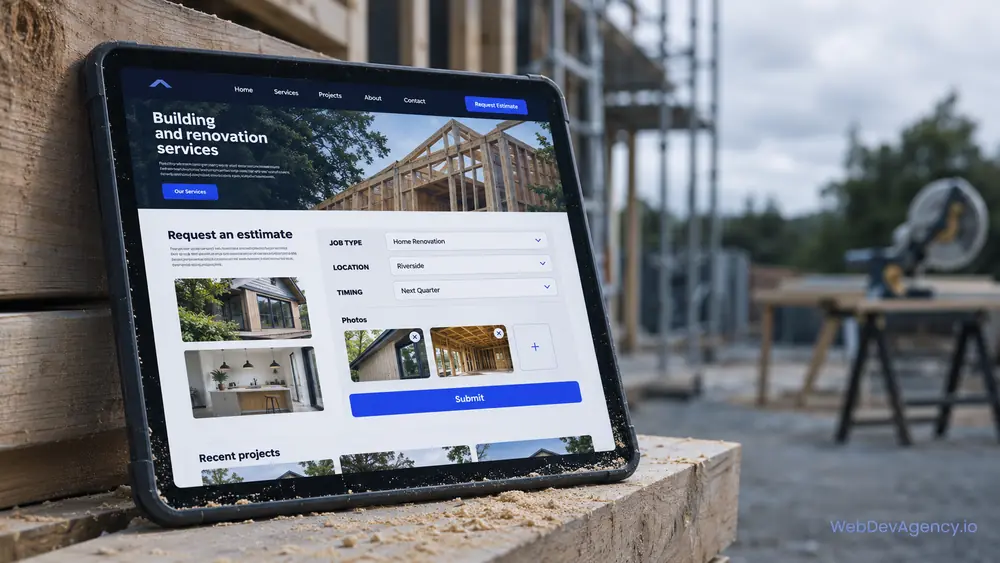
Useful fields for most contractors:
- Name, phone number and email
- Project address or ZIP code, so you can confirm the service area
- Type of project, as a dropdown that matches your service pages
- A short description of the work
- Photo upload for the room, surface or problem
- When they hope to start, with simple choices such as "as soon as possible", "flexible" or "just planning"
- A budget range, marked optional
- How they heard about you, also optional
A few rules keep the form working well. Keep required fields to the minimum. Explain what happens after someone sends it and when they will hear back, and only promise a reply time you can keep. Send an automatic confirmation email. Put your phone number next to the form for people who would rather talk.
Should you show prices?
Most contractors cannot give exact prices online, but you can still help. Explain what affects the price, such as size, materials and site access. Say whether you charge for estimates or site visits. If you have a minimum job size, state it. Clear answers filter out poor-fit leads and build trust with good ones.
Reviews and local search for contractors
Most contractors win work close to home, so local search matters most.
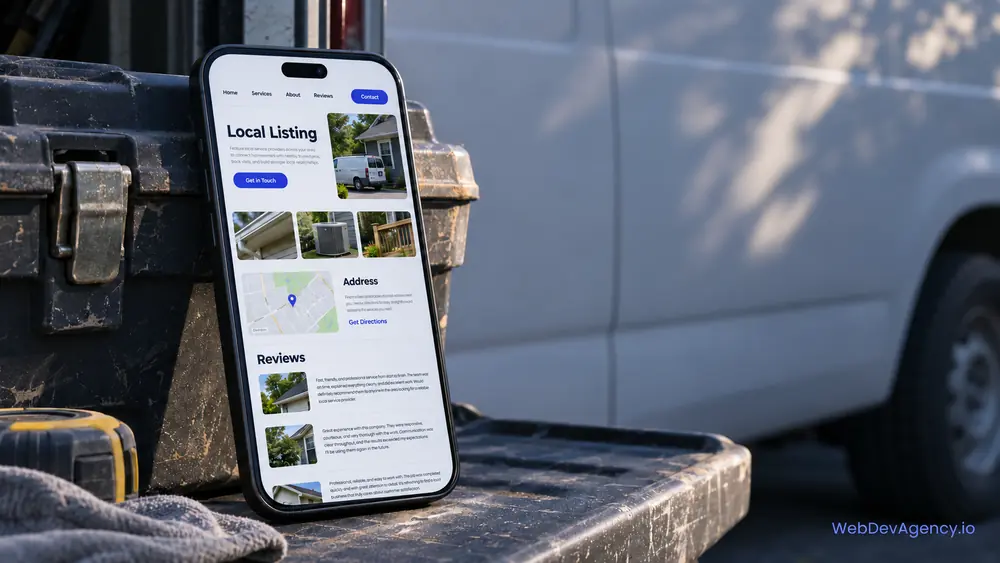
Start with your Google Business Profile. Use the same business name, address and phone number there and on your site. Set your service area, choose accurate categories, and add real project photos. Then link your site to the profile and the profile to your site.
Ask for reviews at the right moment, such as right after the final walkthrough when the customer is happy. Make it easy by sending a direct review link. Reply to reviews, including the critical ones, in a calm and helpful way. Never post fake reviews or pay for them. If you quote reviews on your own site, copy them word for word.
Create a town or service-area page only when you have something real to say about that place, such as projects you have finished there. Pages that only swap the town name do not help customers or search engines.
When to move beyond a contractor website builder
A contractor website builder is often the right first step. These signs suggest you have outgrown it:
- You need many service and location pages, each with real, different content.
- Your estimate process needs different questions for different project types.
- Your template looks like several competitors' sites.
- Large galleries and add-ons have made the site slow on phones.
- You spend more time fixing the site than running jobs.
- You want the site to connect with your CRM or scheduling tool.
Our contractor website design service builds sites around your trade, your service area and your estimate process. We can build on WordPress, Webflow, Wix or Squarespace, so you can still make simple edits yourself.
At WebDevAgency.io, packages are $199 for Basic, $349 for Standard and $599 for Premium, with a Custom option for larger projects. Hosting, domain, platform plans and paid themes or plugins are billed separately. See the full details on our pricing page.
Larger commercial firms can find more in our construction website design ideas.
Roofers can read our roofing website builder guide for storm and inspection pages.
To see how we work and which platforms we build on, visit the WebDevAgency.io homepage.
Common mistakes on contractor websites
- Using stock photos of houses you did not build.
- Hiding the phone number or making it plain text that cannot be tapped.
- Listing every service on one long page with no detail.
- Leaving out the service area, so out-of-area leads fill your inbox.
- Making the estimate form long, with every field required.
- Forgetting to update the site when your license, insurance or services change.
Key takeaways
- Decide what your site needs before you compare any contractor website builder.
- Hosted builders, WordPress and custom design can all work; test each with one real page.
- The best contractor website examples lead with one clear idea and use real project photos.
- A short estimate form with a photo upload and a ZIP code field helps you quote faster.
- Keep licensing and insurance statements accurate and easy to verify.
- Local search depends on a complete Google Business Profile and honest reviews.
Frequently asked questions
What is the best contractor website builder?
There is no single best option for every business. Hosted builders such as Wix and Squarespace are simple to run, WordPress offers more control and room to grow, and a custom design fits your exact process. The best choice is the one that handles your service pages, galleries and estimate form well on a phone.
What should a contractor website include?
A contractor website should include service pages, a clear service area, real project photos, an estimate request form and a tap-to-call phone number. It should also show licensing and insurance information where required, link to your reviews and explain your process. Each of these answers a question homeowners ask before they call.
Should I put my license number on my website?
In many states and cities, contractors are expected to show a license number in their advertising, and a website usually counts. The rules differ by location and trade, so check with your licensing board. Placing the number in the footer and on the About page is a simple way to cover every page.
Where can I find good contractor website examples?
Look at sites from contractors you respect in your own trade, including firms in other cities, and study them on your phone. Builder template demos can also give you layout ideas. Focus on how each site handles photos, service areas and estimate requests rather than copying its design.
Can I build a contractor website myself?
Yes. Many contractors start with a contractor website builder and a simple set of pages, and that can work well. It makes sense to get help when you need many service and town pages, a more detailed estimate process or a site that stands apart from common templates.
Have a project list and a service area in mind? Share them on our contact page, and we will reply within one business day with a free, fixed-price quote for your contractor website.