Who visits a plumbing website
Picture the person on the other end. Water is coming through a ceiling, a toilet is overflowing or the water heater just stopped working. They are standing in a wet hallway holding a phone. They want to know if you can come and how to reach you.
Other visitors are calmer. They want a quote on a tankless water heater or a sewer line check before buying a house, and they will compare companies.
A plumbing site has to work for both, with the urgent path always one tap away.
Plumbing website builder or custom site?
A plumbing website builder can give a small company a solid site. A custom site gives you more room as the business grows.
When a plumbing website builder fits
Hosted builders such as Wix and Squarespace bundle templates, hosting and editing in one account. WordPress with a home services theme offers more control and plugins, with hosting you choose. A plumbing website builder usually fits when:
- You are a one-truck or small team with a short service list.
- You cover one town or a tight area.
- Most of your work comes by phone, and the site mainly needs to look trustworthy and show the number.
- You are comfortable editing pages yourself.
When a custom site is the better choice
A custom site is planned around your services, your area and how your office handles calls. It can still run on WordPress, Webflow or a hosted builder, so you can make simple edits. Consider it when:
- You want separate pages for many emergencies, services and towns.
- You do residential and commercial work, such as backflow testing or service contracts for property managers.
- You need forms that route repairs, quotes and commercial requests to different people.
- Page speed on phones is poor with your current template and add-ons.
- Your site looks like every other plumber's site in town.
How to build a plumbing website
Whatever route you choose, here is how to build a plumbing website step by step.
- List the jobs you want. Note your main services and the jobs you do not take, such as well pumps or large commercial installs.
- Map your service area. List the towns, counties or ZIP codes you cover.
- Pick a route. Choose a plumbing website builder, WordPress with a theme or a custom build.
- Plan an emergency path. Decide what someone with a burst pipe sees first and how they reach a person.
- Plan service and town pages. One page per main service and one per key town.
- Gather real content. Collect photos of your plumbers, vans and finished work, plus license details and your pricing policy.
- Set up calls and forms. Add tap-to-call everywhere and a short request form.
- Connect local search. Complete your Google Business Profile and link it to the site.
- Test it in a hurry. Pretend you have a leak and see how fast you can reach a person from your phone.
Pages a plumbing website needs
Customers search for a problem, not for "plumbing services", so match your pages to those problems.
Emergency plumbing page
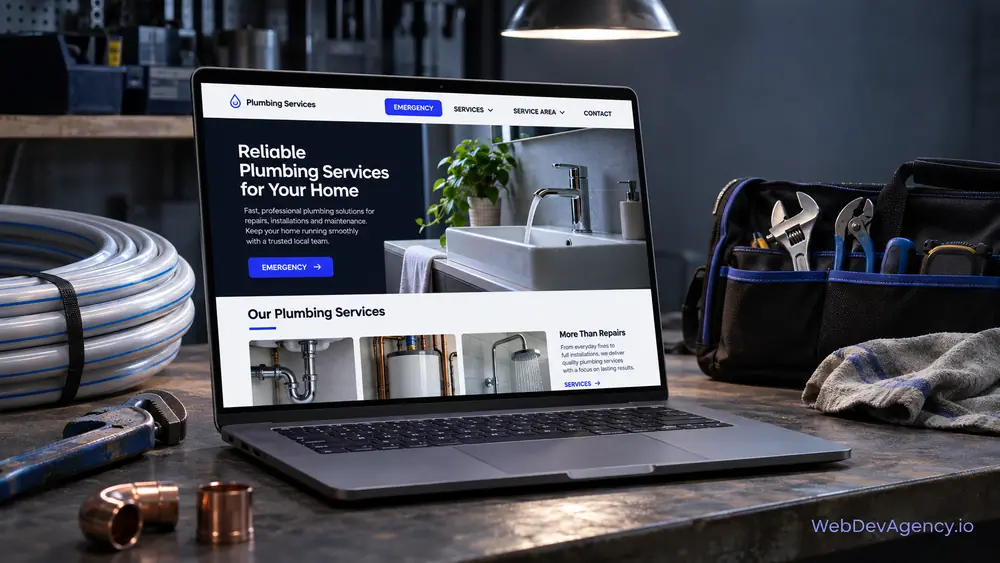
This is the most important page on many plumbing sites. List the emergencies you handle, such as burst pipes, major leaks, sewer backups, overflowing toilets and no hot water. Put the phone number at the top in large text. State the hours you answer emergency calls and whether after-hours rates apply.
Add a short "while you wait" section. Explain how to close the main water shut-off valve, how to turn off the water heater safely and when to leave the house, such as if they smell gas. This helps people and shows you know the work.
Repair pages
Give the common repairs their own pages: leak repair, drain cleaning, toilet repair, faucet and fixture repair, garbage disposals and frozen pipes if you work in a cold area. On each page, describe the symptoms, what you check and what usually happens next.
Water heater pages
Water heaters deserve their own section. Cover repair and replacement for tank and tankless models, and explain how you help customers choose between them. If you work with gas water heaters, mention that gas work follows local code and permit rules.
Sewer and drain line pages
Explain how you diagnose sewer line problems, for example with a camera inspection, and the repair options you offer, such as spot repairs, full replacement or trenchless methods if you provide them. Keep the language plain and avoid scare tactics.
Installation and remodel pages
For planned work, create pages for fixture installs, repiping, water filtration or softeners, and plumbing for kitchen and bathroom remodels. These visitors have time to read, so show finished work and explain your process.
Commercial plumbing
If you serve businesses, give them a separate section. Cover service agreements, backflow testing where your area requires it, grease traps for restaurants and how you schedule work around opening hours.
Pricing policy page
Plumbing customers worry about surprise bills. You do not need a full price list, but you should explain how pricing works. Say whether you charge a service call or trip fee, whether you give an upfront price before work starts, and how after-hours work is billed. Clear answers build trust and reduce awkward calls.
Service area pages
Create a page for each key town you serve, with jobs you have done nearby, common local issues, such as older pipes in certain neighborhoods, and the town's permit notes if they matter.
Click-to-call and request forms
For plumbers, the phone is still the main way work comes in. The site should make that call easy and catch the requests that are not urgent.
Make calling fast on a phone
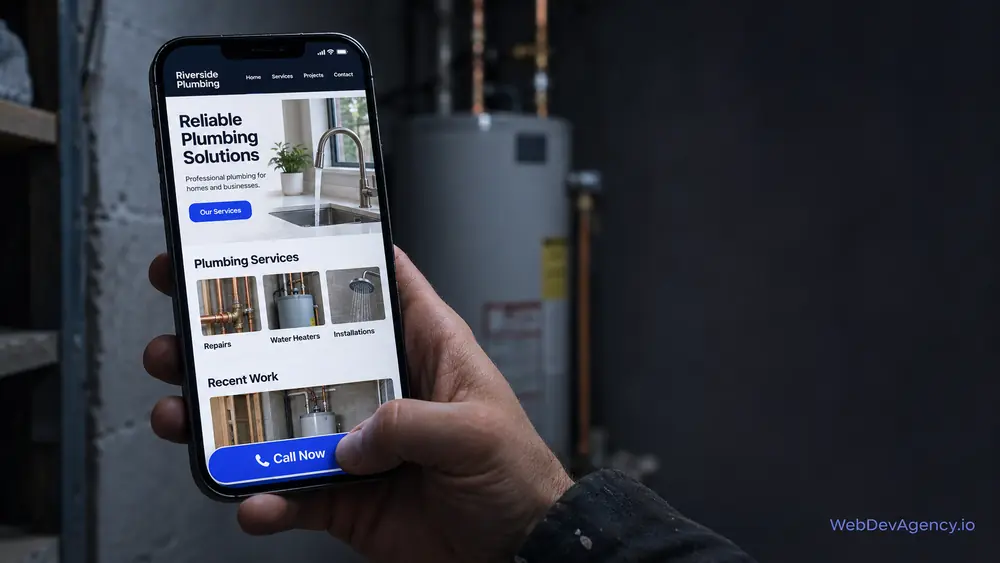
Put a tap-to-call number in the header on every page. On phones, add a sticky call button at the bottom of the screen. Use large, high-contrast buttons that are easy to hit with a wet thumb. Keep the number the same everywhere so it matches your Google Business Profile.
A short request form for non-urgent work
A short form catches quote requests and planned jobs:
- Name, phone and email
- Address or ZIP code
- Type of request: repair, installation, water heater, drain or sewer, or commercial
- Is water leaking right now? A simple yes or no
- A short description
- Photo upload, marked optional
- Best time to reach them
If someone answers yes to an active leak, show a message right away telling them to call and to close the main shut-off. Then tell everyone else what happens next and when they will hear back. Only promise what your office can keep.
Plumbing website examples to study
The plumbing website examples below are fictional. They describe common patterns, not real companies, so you can see how each approach works.
The emergency-first homepage
Example: a fictional plumbing company that does a lot of after-hours calls. The top of the homepage shows a large call button, the hours emergency calls are answered and three quick links: Burst pipe, No hot water and Sewer backup. Each link opens a short page with shut-off steps and the phone number again.
The friendly neighborhood plumber
Example: a fictional two-person plumbing business in a small town. The homepage shows the owner's photo, a short service list, a clear pricing policy and links to reviews. It suits a business that wins most work by word of mouth.
The water heater specialist
Example: a fictional plumber that focuses on water heater installs. The homepage helps visitors choose between repair, tank replacement and tankless installation. It explains what affects the choice and leads to a quote form that asks about the current unit and the home.
The residential and commercial split
Example: a fictional plumbing contractor serving homes and restaurants. The header has two paths: Home and Business. The business path covers grease traps, backflow testing and service agreements, with its own request form.
These plumbing website examples share a few things: the phone is never more than a tap away, real people appear in the photos, and pricing is explained honestly.
Local search basics for plumbers
Plumbing is a local business. People search on a phone and usually pick from the first local companies they see.
Your Google Business Profile
Complete every section. Use the same business name, address and phone number as your site, set your service area, and pick accurate categories. Add photos of your team, vans and work. Keep your hours current, especially if you answer emergency calls. Link the profile and the site to each other.
Reviews
Ask for a review once the job is done and the customer is relieved. Send a direct link by text or email. Reply to reviews, including the critical ones, calmly and helpfully. Do not post fake reviews or offer anything in return for them. If you quote a review on your site, copy it exactly.
Licensing and trust
Many states and cities expect a plumbing license number in advertising, and a website usually counts. Check your local rules and place the number in the footer. Say you are insured only if you are. Photos of uniformed plumbers and marked vans help customers feel safer opening the door.
On-page basics
Give each page a title and description that names the service and the area. Use headings that match real searches, such as drain cleaning or water heater replacement. Compress images and avoid heavy add-ons so pages load fast on mobile data. Add structured data for your business and FAQs.
When to get help beyond a plumbing website builder
A plumbing website builder can carry a small company a long way. Get help when you need many emergency, service and town pages, smarter forms or a faster site.
Our plumber website design service builds plumbing sites around your services, your service area and the way your office takes calls. We set up tap-to-call, request forms and local SEO basics, and you can still make simple edits yourself.
At WebDevAgency.io, packages are $199 for Basic, $349 for Standard and $599 for Premium, with a Custom option for larger projects. Hosting, domain, platform plans and any paid themes or plugins are separate costs. See all packages on our pricing page.
If you also install heating and cooling systems, our HVAC website builder guide covers seasonal pages and maintenance plans.
Learn more about how we work on the WebDevAgency.io homepage.
Key takeaways
- A plumbing website builder suits small, phone-led businesses; a custom site suits many pages, commercial work and smarter forms.
- Build a clear emergency page with shut-off guidance and honest hours.
- Give repairs, water heaters, sewer lines and installs their own pages.
- Explain your pricing policy, such as service call fees and upfront pricing.
- Put tap-to-call on every page and keep the request form short.
- A complete Google Business Profile, honest reviews and visible license details build local trust.
Frequently asked questions
What is the best plumbing website builder?
No single option is best for every plumbing company. Hosted builders such as Wix and Squarespace are easy to manage, WordPress offers more control and room for many pages, and a custom design fits your services and call process exactly. Choose the one that makes calling and requesting service fast on a phone.
How do I build a plumbing website?
List your services and service area, then pick a plumbing website builder or a custom route. Plan an emergency page, service pages and town pages, gather real photos and license details, and set up tap-to-call with a short request form. Connect your Google Business Profile and test the site on a phone before launch.
Should a plumber show prices on their website?
You do not need a full price list, but you should explain how pricing works. Say whether you charge a service call fee, whether you give an upfront price before starting and how after-hours work is billed. This builds trust and reduces surprise-bill complaints.
What should an emergency plumbing page include?
It should show the phone number at the top, the emergencies you handle and the hours you answer emergency calls. Add simple steps people can take while they wait, such as closing the main water shut-off valve. State whether after-hours rates apply.
Where can I find good plumbing website examples?
Look at sites from plumbing companies you respect, including firms in other cities, and review them on your phone as if you had a leak. Website builder template demos can also give you layout ideas. Focus on how each site handles emergency calls, pricing and service areas rather than copying its design.
Ready to plan your plumbing site? Send us your service list and the towns you cover through our contact page, and we will reply within one business day with a free, fixed-price quote.